Thursday, August 25, 2022
Bicycle Gears | സൈക്കിൾ ഗിയറുകൾ part 2
Wednesday, June 15, 2022
"Reviews" on social media / സാമൂഹ്യ മാദ്ധ്യമങ്ങളിലെ "റിവ്യൂ"കൾ
Friday, June 3, 2022
Choosing your first cycle - ആദ്യ സൈക്കിൾ എങ്ങനെ വേണം?
Saturday, April 30, 2022
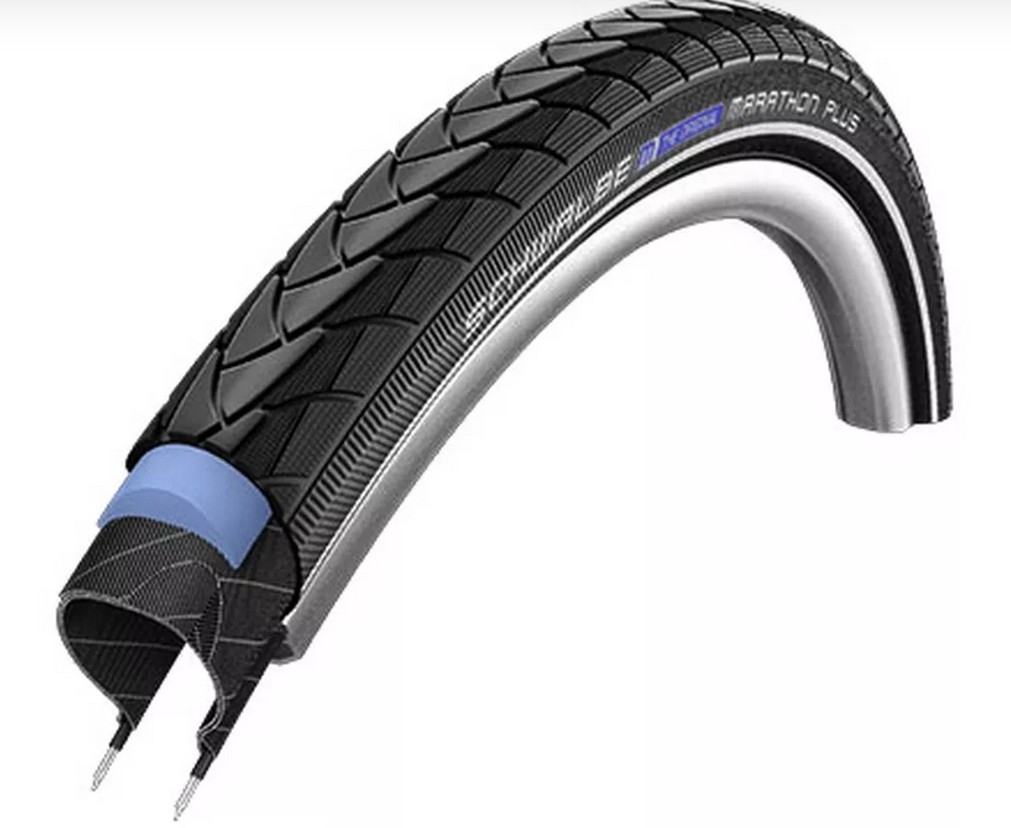
Cycle Tyres - സൈക്കിൾ ടയറുകൾ - ഭാഗം 3
Monday, April 11, 2022
സൈക്കിൾ ടയറുകളെ കുറിച്ച് - ഭാഗം 2
Wednesday, April 6, 2022
Understanding Cycle Tyres
Tuesday, November 16, 2021
Buying a Rim / wheelset For Your Bicycle.
While getting a new wheelset for your cycle, you basically look at these factors -
* number of spokes, (lesser the better for reducing cross wind resistance, but fixing a bend becomes too difficult as number of spokes go less). Typical numbers are 36 or 32 on hybrid and 28 or less on racing cycles. The number of spokes should match on rim and hubs.
* Spoke type - the straight pull ones are aerodynamic but expensive, the normal J bend ones look ok.)
* hub type, (bearings, rim or disc brake, type of disc attachment) gear capacity for free hub (8/9/10 or 11 gears or the micro splined type for 12 gears).
* Thru axle / QR / old style.
* Spacers in case you are buying a freehub designed for 11 speeds, but plan to use with 8/9/10 speed cassette.
* Valve hole size. There are three -Schraeder / presta / old style Dunlop
* Width of rim. You don't want too wide or too narrow rims - plenty of material on the web about width - rim bead seat correlation. Tyres can be between 1.4 and 2.4 times bead seat width of a rim.
* Maximum air pressure a rim can take.
* The colour and material of course. Of rim, spokes, nipples..
* Some rims are meant exclusively with disc brakes. But rim brake type rims can be used with disc brakes if the hubs support discs.
* Tyre type - clincher or your usual ordinary tyres. And again there are 2 types - tubed and tubeless ready.
Tubular tyres - the ones which are both tubes and tyres at same time are best avoided by ordinary folk. Most people won't like these tubular tyres because punctures cannot be fixed, AFAIK
Rim diameter is typically 26 inch, 27.5 or 650B and 622mm at bead seat in ISO notation for hybrids or road bikes that use 700C tyres in ETRTO notation.
Rim width is correlated to tyre width. 29ers use ,622 bead seat diameter rims, same as hybrid and road bikes. But these are wider to accommodate wider knobby tyres of 29ers.
Selecting the rim material too is not subject of this post. Most readers would like alloy double walled rims.
Sunday, August 8, 2021
Bicycles and their gears
Sunday, March 17, 2019
Monday, September 19, 2011
എക്സ് ഓർഗ്ഗിലെ പുതിയ ഇൻസ്ക്രിപ്റ്റ് ലേഔട്ട്
Monday, February 1, 2010
Linux Friendly Mobile
Changed handset
This would be 4th mobile phone I have owned. A Nokia 5130.
First was an LG model, now discontinued. The next was a Samsung SGH X 168, about which I wrote here. When that got stolen, I got an SGH X 210, again from Samsung.
Initially, mobile handsets for me, were just phones I would carry around in the pocket. Creating backup of contact lists or SMS'es were not an issue. But with the X160, it did become an issue. When it was stolen, I simply did not have adequate time to research on another handset, I simply walked into the nearest Samsung shop, and asked for SGH X 160. I was told that it was discontinued, and hence went in for the next available set, the X 210. I was hoping for improvements in G|Wammu or gnokii support over time. It never happened.
With passage of time, my contact list was growing, and manually copying the contact list was apain. And installing a copy of windows for having to use the mobile manufacturer's software for a few minutes several months apart was right royal pain in the you know where.
There was no way I am going away from the operating system on my desktop. There was no way I am going to buy a phone which is fully supported on the OS I use. This eliminated several manufacturers.
Research started from the documentation on gnokii, wammu and gammu, the applications which connect to mobile phones on a GNU/Linux system. I use a Debian Sid installation, updated every 3 weeks, my OS was fairly recent and stable. So, nobody could complain that I use an old version of anything. With that back ground, in mind, I started searching for the mobile model.
Step one was to fix my budget - I did not want a low end phone. I would have settled for just a phone, which does nothing else except make and receive calls, but I also travel close to 20 hours a week commuting among various offices and places. And trains are boring nowadays. And reading books was out of qeustion - you cannot even flip a page with somebody poking you in the ribs. I needed a phone with a media player.
Step 2 was A quick search on online shopping sites, which shows that a figure of 4 to 6 K can fetch reasonably good phone with excellent media capabalities. At this price range, all phones had FM radia, bluetooth and camera capablities. Nothing else matter - just a good media player, and capability to make and receive calls (notice the subtle shift in order of preference? hahaha.).
Next step was going through application documentation, and their websites. IT was quite disheartening. Gnokii had virtually no support for anything except Nokia. A cursory look at Wammu site shows that of the 45 manufacturers listed, only LG, Motorola, Nokia, Samsung, Siemens and Sony Ericsson had more than 50 phones listed. And of the phones listed, every manufacturer except Nokia had more unsupported phones than supported phones in the listings. Even among the supported phones, the support was very limited. This meant that the hand set manufacturers do not care for the users' choices and requirements.
The search left a very bitter taste in one's mouth. Both LG and Samsung handsets were very good in terms of build quality and durability. Both the handsets have weathered quite a few "flights" through air - courtesy my two kids. All the previous 3 handsets were little more than scratches when I discarded / lost them.
Additionally, I have invested quite a sum mostly from my small earnings during early days of my career into CDs, and I wanted to listed to the music on the go. So ability to copy files from the PC to the phone was of paramount importance. Standalone media players were very cumbersome - with need to carry along additional chargers and head sets.
Thus, finally, the search narrowed to Nokia 5130. What clinched the deal was the "full support" listing on Wammu site, plus the use of a normal stero jack for the head sets, and use of standard USB jacks for connectivity and bluetooth. This meant that I did not have to run around searching for a "nokia headset" with the appropriate connector to listen to music. I did not have to run around searching for a USB cable if I was forced to use a USB cable. Above all, I did not have to switch operating systems to back up my phone.
Within 15 minutes of reaching home, my phone was loaded with backup of my contact list from the old phone. (The X210 is supported by wammu/gammu in a very limited way).
Finally tried to visit Nokia's music store. That site, however, will not work with any browser except M$ IE. Too bad for them (Nokia). I get my music from elsewhere - no - NOT from the "sharing" sites.
Tuesday, January 5, 2010
Flashing BIOS on a Linux Only System
Linux only system and BIOS flashing
Ever faced a need to flash your PC's BIOS?
I was facing this issue ever I got this MSI Neo K8M board 5 years back. The kernel CPU frequency scaling would never work; and the problem was traced to a BIOS bug.
Flashing BIOS was a daunting task for me - first, there was no DOS available. Finding reliable floppies was next to impossible. I once purchased 4 different floppies from 4 different shops in 3 districts, but none would work the second time I inserted them.
And darn'ed Wipro UPS was not very reliable. Worse, it had no cold start feature. Any power cut in between the flash process, and I would be stranded.
I had no choice except to put up with up the inability to use cpufreq and a noisy CPU fan. I slowly realised that there is a good reason why the BIOS option was called "Cool'n'quiet".
That was till I hijacked a thread on FireFox came up in the Goa Linux Users' Yahoo groups. (Ilug-goa at yahoo groups dot com).
Edgar D' Souza was mentioning a Core 2 duo Intel processor running at 800 MHz. And poor me, who was yet to see frequency scaling thought it was a typo.
Somewhere towards end of that thread, Dhaval Giani said:-
> Update your BIOS then. Laziness is not a good enough excuse to use up > extra power!
That was reason enough to work hard. But you can hardly call issuing "apt-cache search bios" from the command line as "work".
That command produced 2 pages of text. The lazy man I am, I decided to do some more hard work. Out comes
apt-cache search bios |grep bios
That yields just 4 lines. 4 very useful lines.
paivakil@home:~$ apt-cache search bios |grep flash amideco - Decompress flashfiles equipped with an AMI BIOS awardeco - Decompress flashfiles equipped with an AWARD BIOS flashrom - Identify, read, write, erase, and verify BIOS/ROM/flash chips phnxdeco - Decompress flashfiles equipped with a PHOENIX BIOS
about 45 seconds later, "flashrom" is installed. In another 10 seconds, I have gone through the man pages. In next 50, I realise that I have not learnt anything from the man pages. So, I do "flashrom -h", which is far more helpful.
"flashrom - r oldbios.old" dumps a backup of the old bios into file, "oldbios.old". (Never mind about how the BIOS is going to read that file, which sits on an ext4 filesystem, on a SATA drive, in case things go awry.)
The update files were already downloaded from the official MSI site eons ago, so finding them was never a problem. I go ahead and do:-
flashrom -w A7032VMS.370Couple of seconds later, I am told that the bios is written successfully.
I reboot, and am disappointed that every thing seems to be very familiar, and old options stay that way. That is till I notice that the bios set up utility version has changed.
So, I boot up, upgrade the BIOS another couple of time (I am upgrading from version 3.20 something to 3.50 first.
Each reboot goes smoothly, and finally, version 7.00 of the BIOS is also installed.
In less than 40 minutes, I have flashed the BIOS 4 times!!! In between, I have composed mails to the Goa Linux users' group too.
Things cannot get any easier, right??